Let two agents share data
An agent reads its own area without help. To let another agent read it, open a channel. In this guide report-writer shares its reports with report-reader.
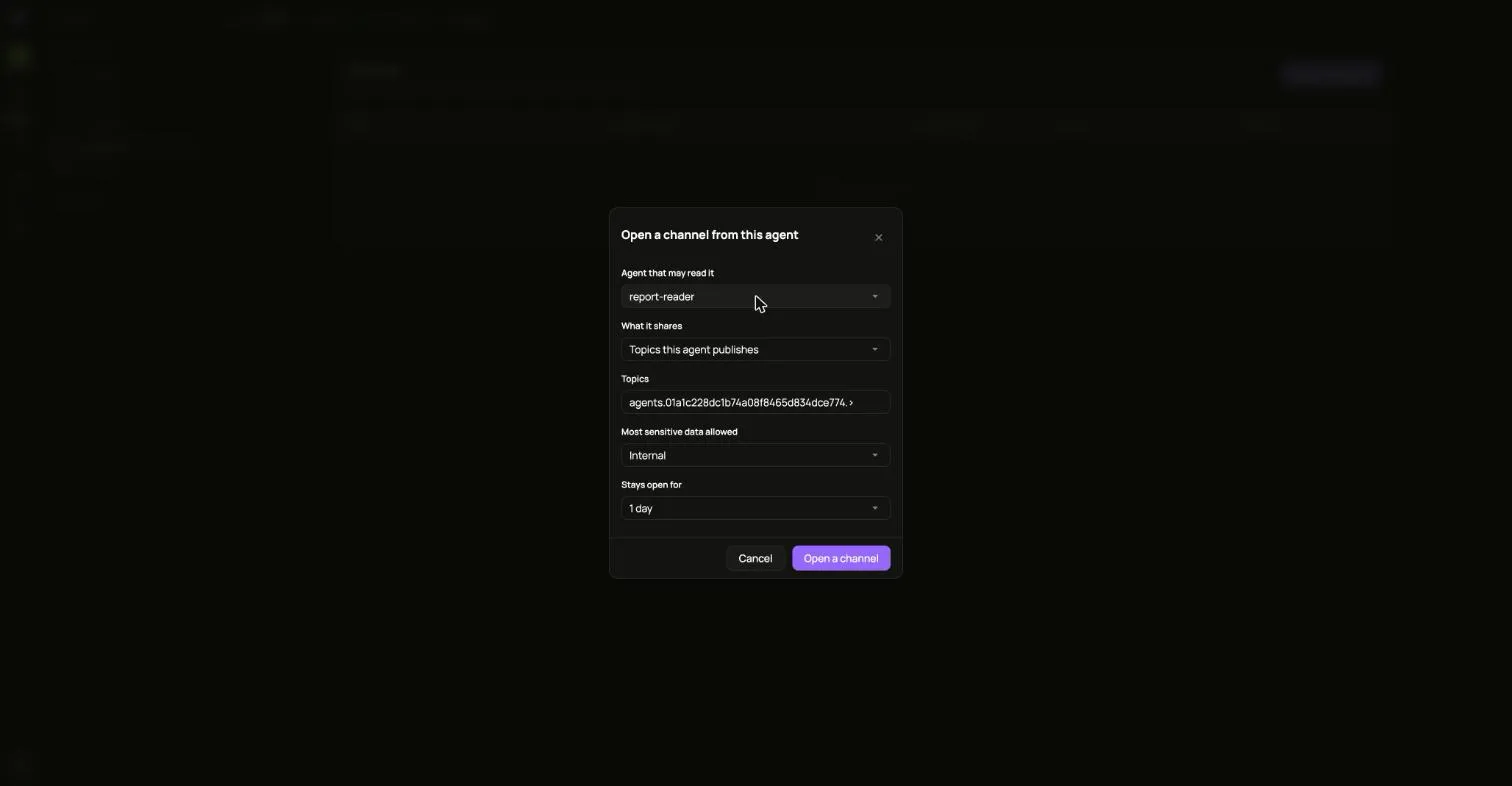
- Open the agent that shares, then Channels, and choose Open a channel.
- Under Agent that may read it, pick the other agent. Revoked agents are not offered.
- Under What it shares, pick Topics this agent publishes, or a single resource.
- Keep the Topics value that is filled in, or narrow it. A channel carries only topics in the sharing agent’s own area.
- Pick the Most sensitive data allowed and how long it Stays open for.
- Choose Open a channel.
The channel appears with the other agent, what it carries and when it ends.
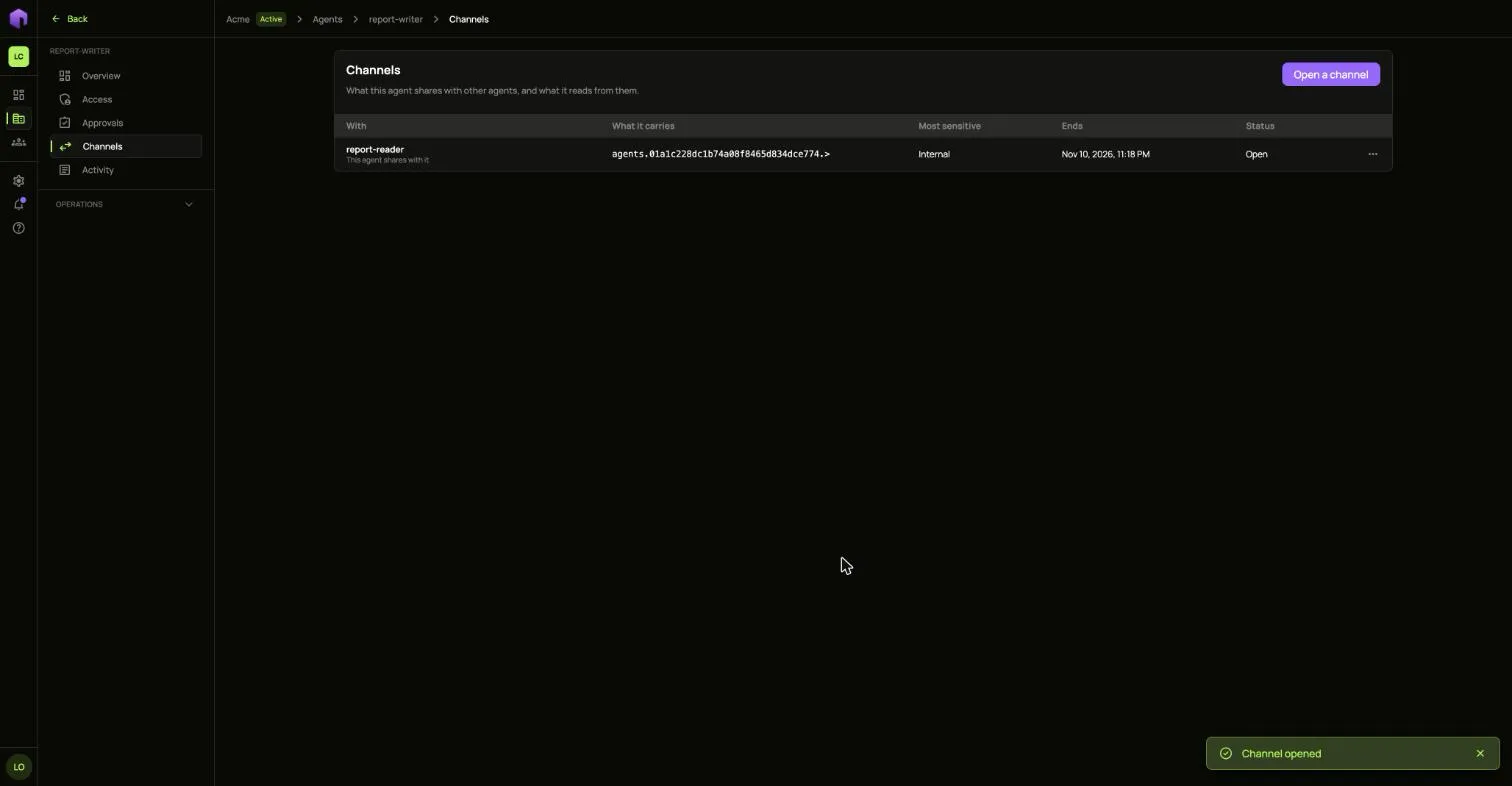
To end it early, open the row’s … menu and choose Close channel.