Put an app behind the gateway
A service is the backend. Its address, timeout and probes live there, so many routes to one backend share one definition. A route says which requests go to it.
1. Add the service
Section titled “1. Add the service”- Open Services in the Infrastructure group and choose Add Service.
- Fill in the name and the backend’s address.
- Set the audience. This is the
audvalue the backend expects in its token. Routes that require sign-in are refused without it. - Save it.
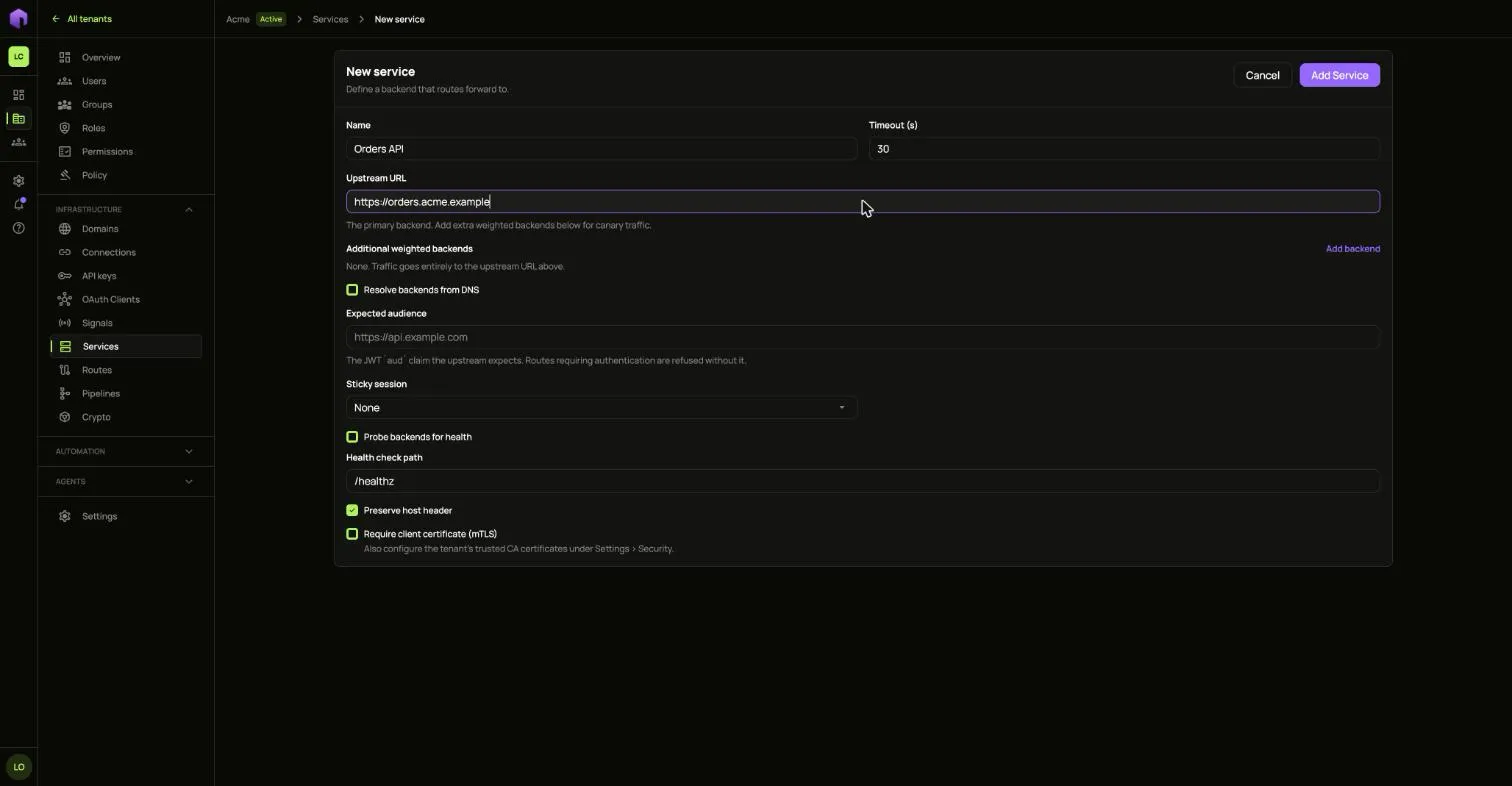
Changing a service changes how every route pointing at it forwards. A service that still has routes pointing at it cannot be deleted.
2. Add the route
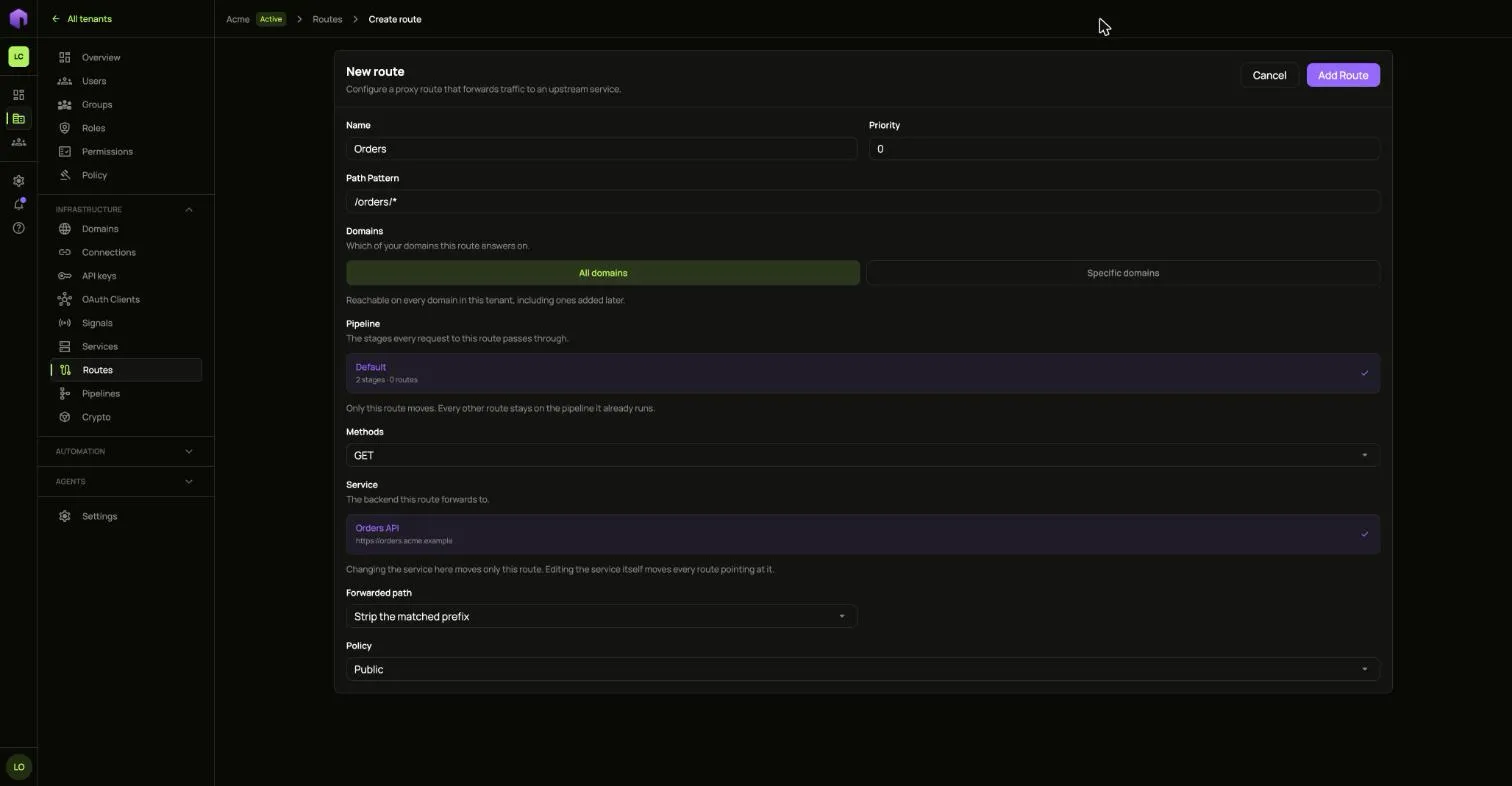
Section titled “2. Add the route”- Open Routes and choose Add Route.
- Fill in the name, the path pattern and the methods.
- Pick the Service it forwards to and the Pipeline every request passes through.
- Pick which of your domains it answers on. Leave it open to answer on every domain in this tenant, including ones added later.
Change a route
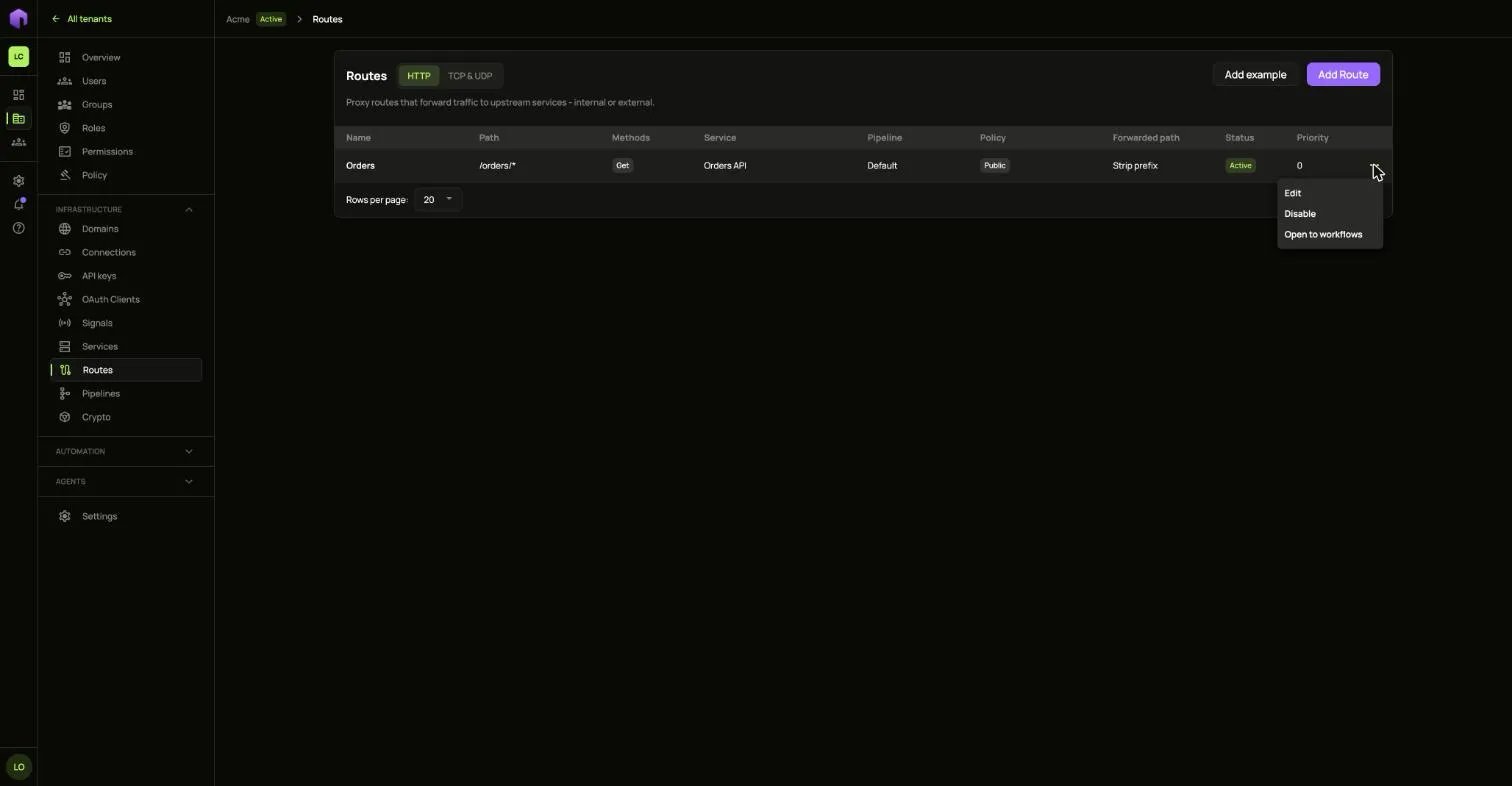
Section titled “Change a route”The … menu on each route offers:
- Disable, which stops forwarding until you enable it again.
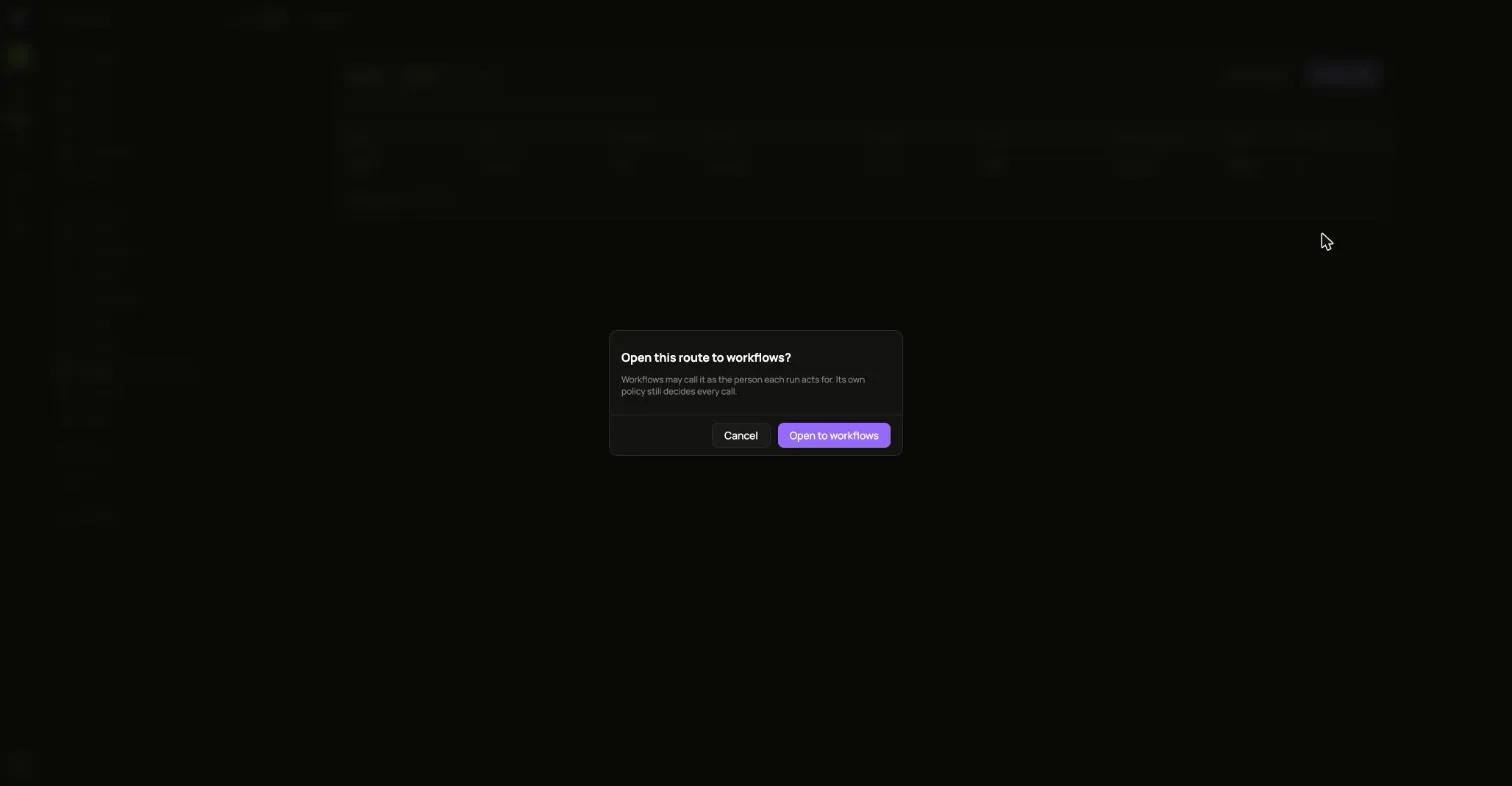
- Open to workflows, which lets workflows call it as the person each run acts for. Its own policy still decides every call.
- Edit and Delete.