Pipelines and domains
Pipelines
Section titled “Pipelines”A pipeline is the list of checks a request passes through, from top to bottom.
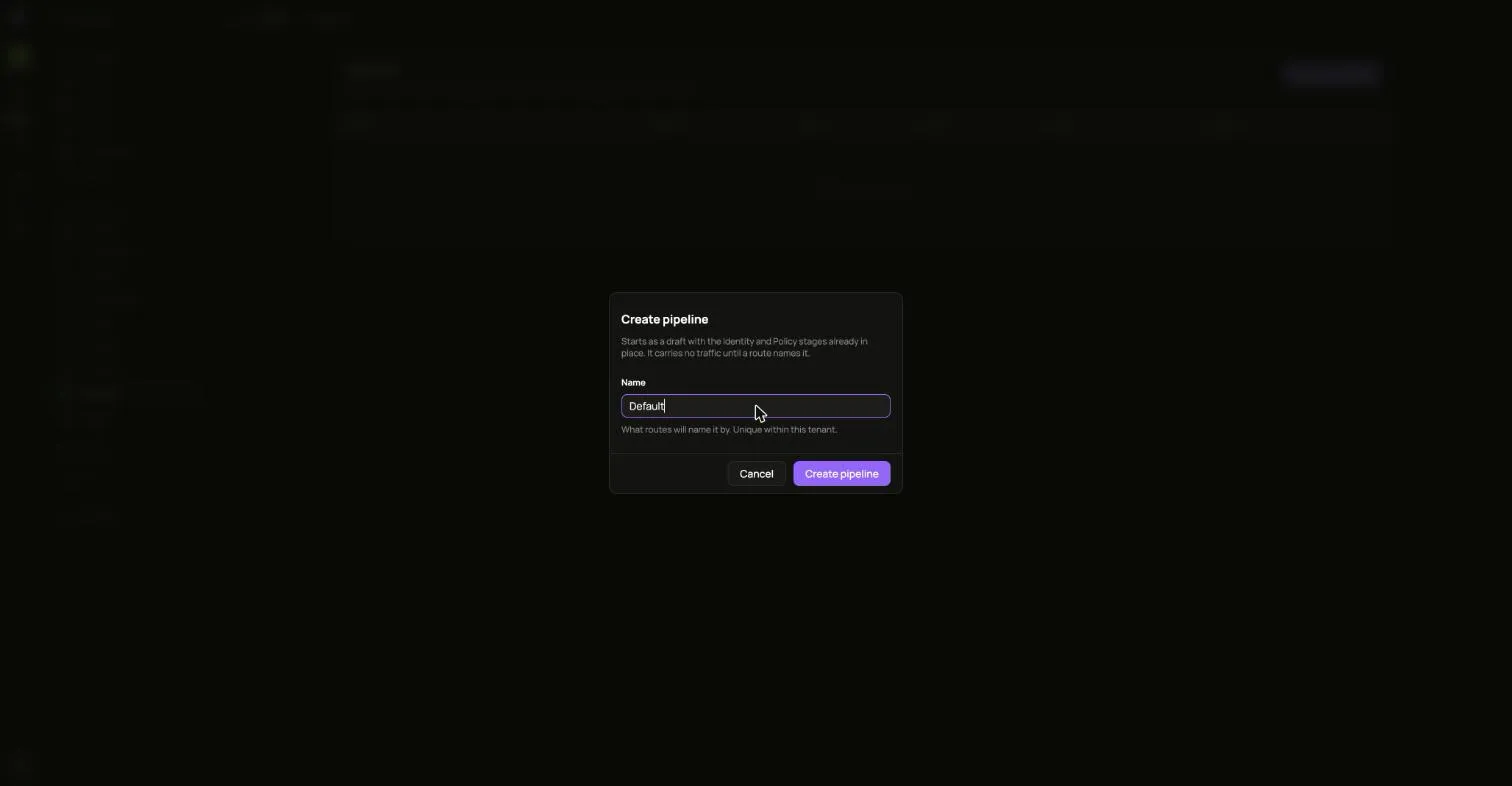
- Open Pipelines and choose Create pipeline. It starts as a draft with the Identity and Policy stages already in place, and it carries no traffic until a route names it.
- Open it and choose Add stage for each check you want. A stage takes effect as soon as it is added. To change an active pipeline, disable it first, or build the change on a second pipeline and move routes across.
- Activate it. Every enabled stage starts enforcing on its routes immediately.
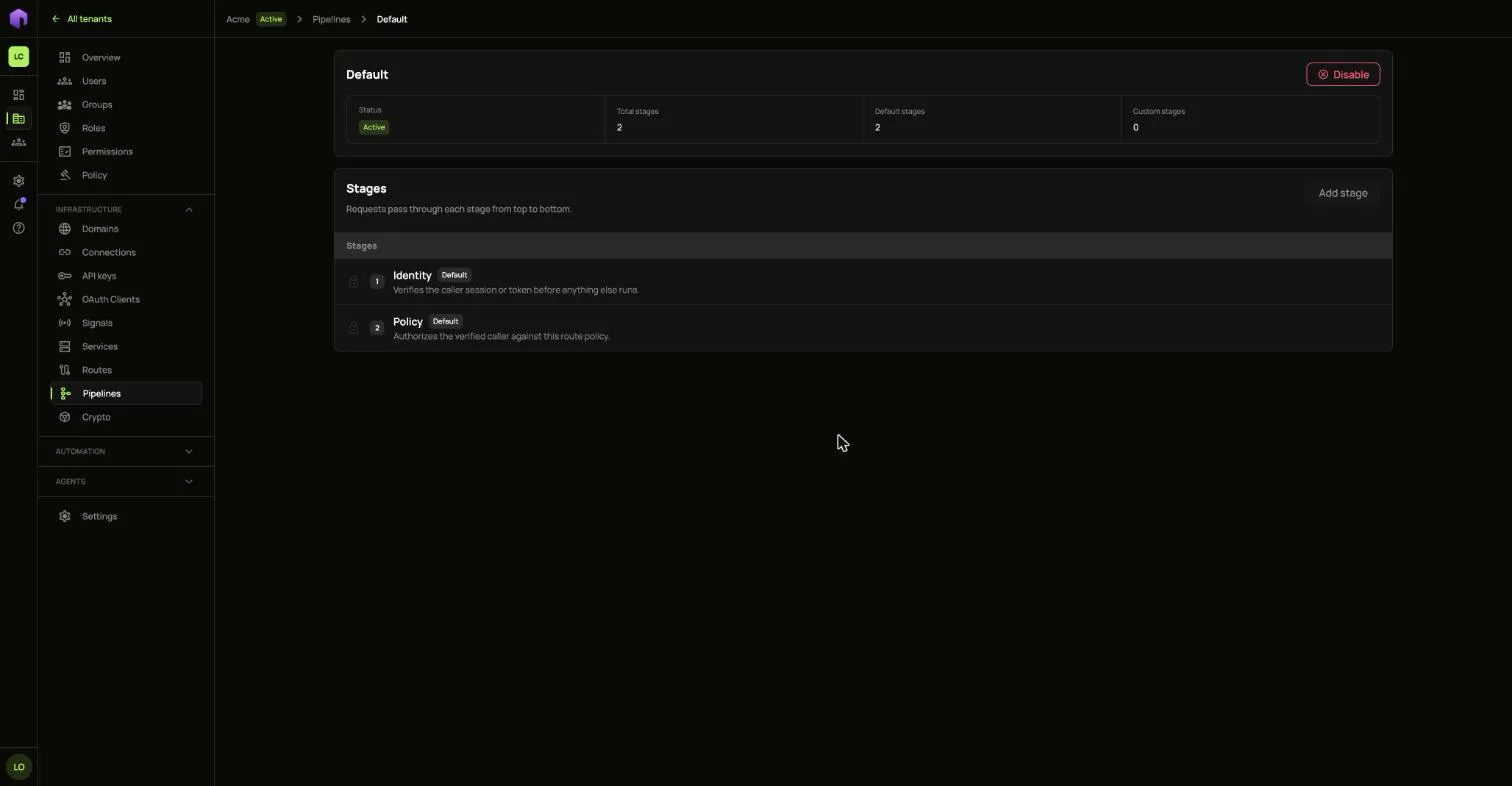
Disabling a pipeline stops every route running it from being served. Move those routes to another pipeline first.
Domains
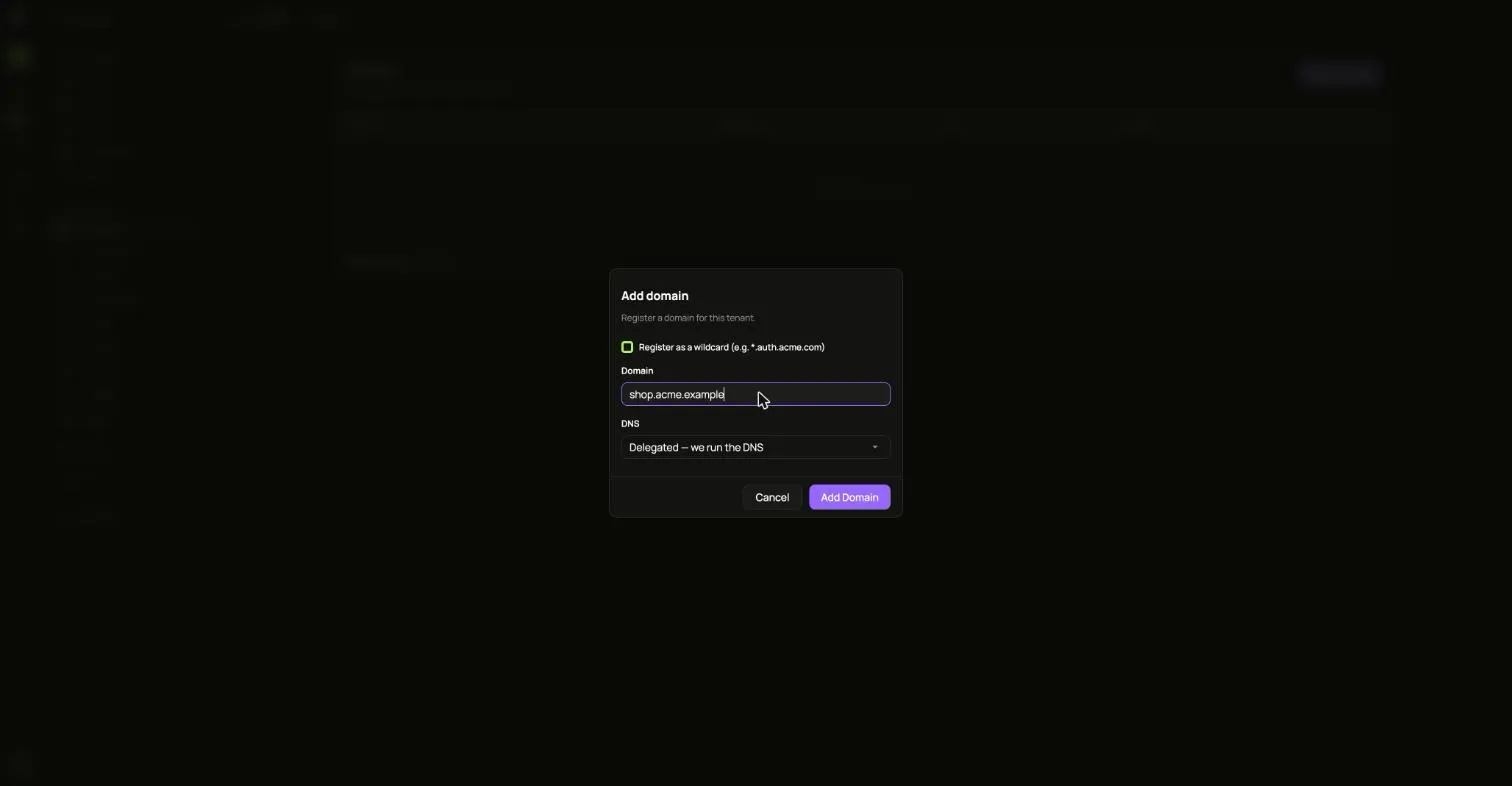
Section titled “Domains”- Open Domains and choose Add Domain.
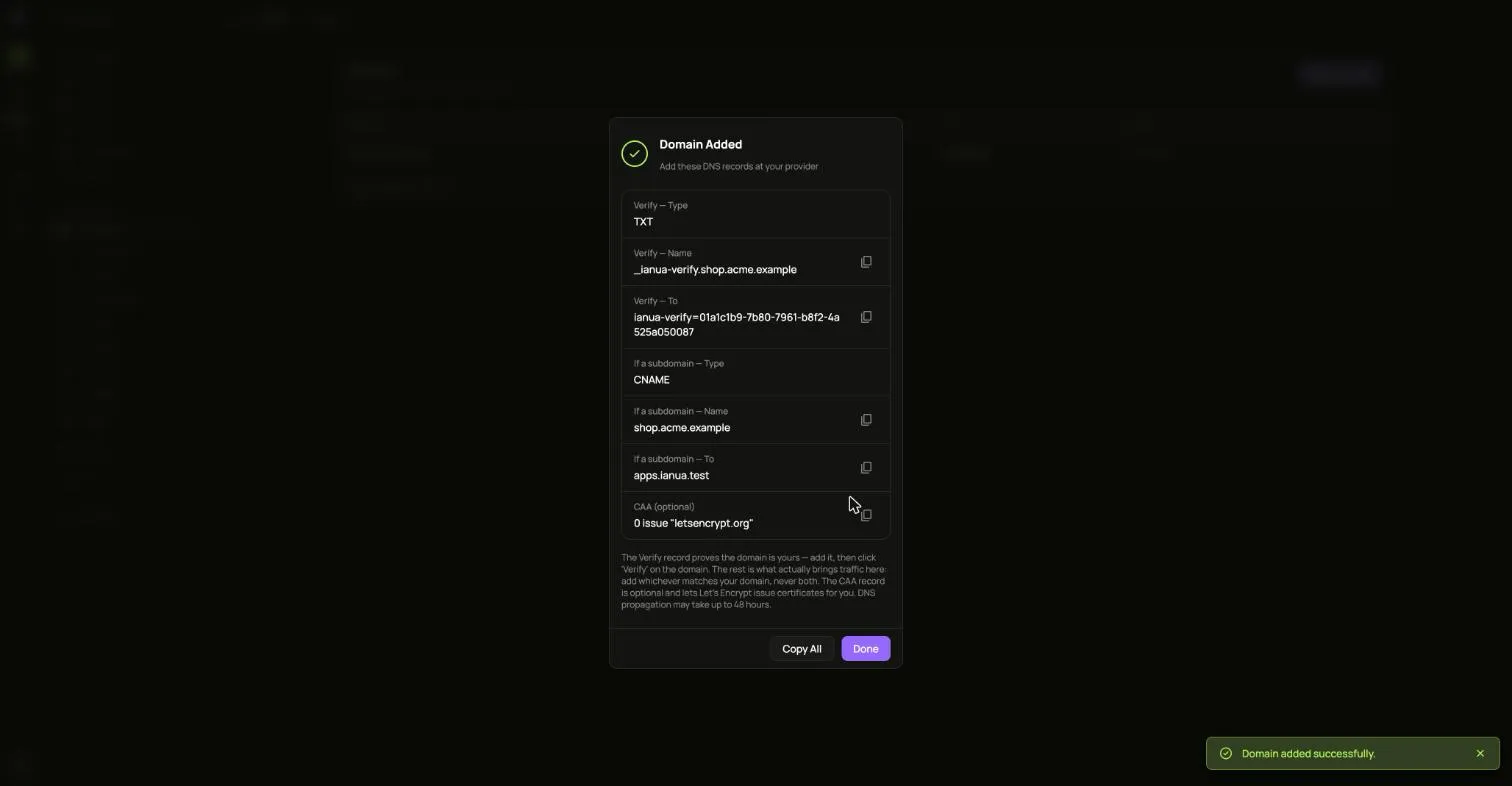
- Add the DNS records it shows at your provider. The Verify record proves the domain is yours.
- Choose Verify on the domain.
Transfer offers a domain to another tenant in your organization. It moves once that tenant accepts.

Deleting a domain means people can no longer sign in using it.