Add permissions and write policy
Permissions
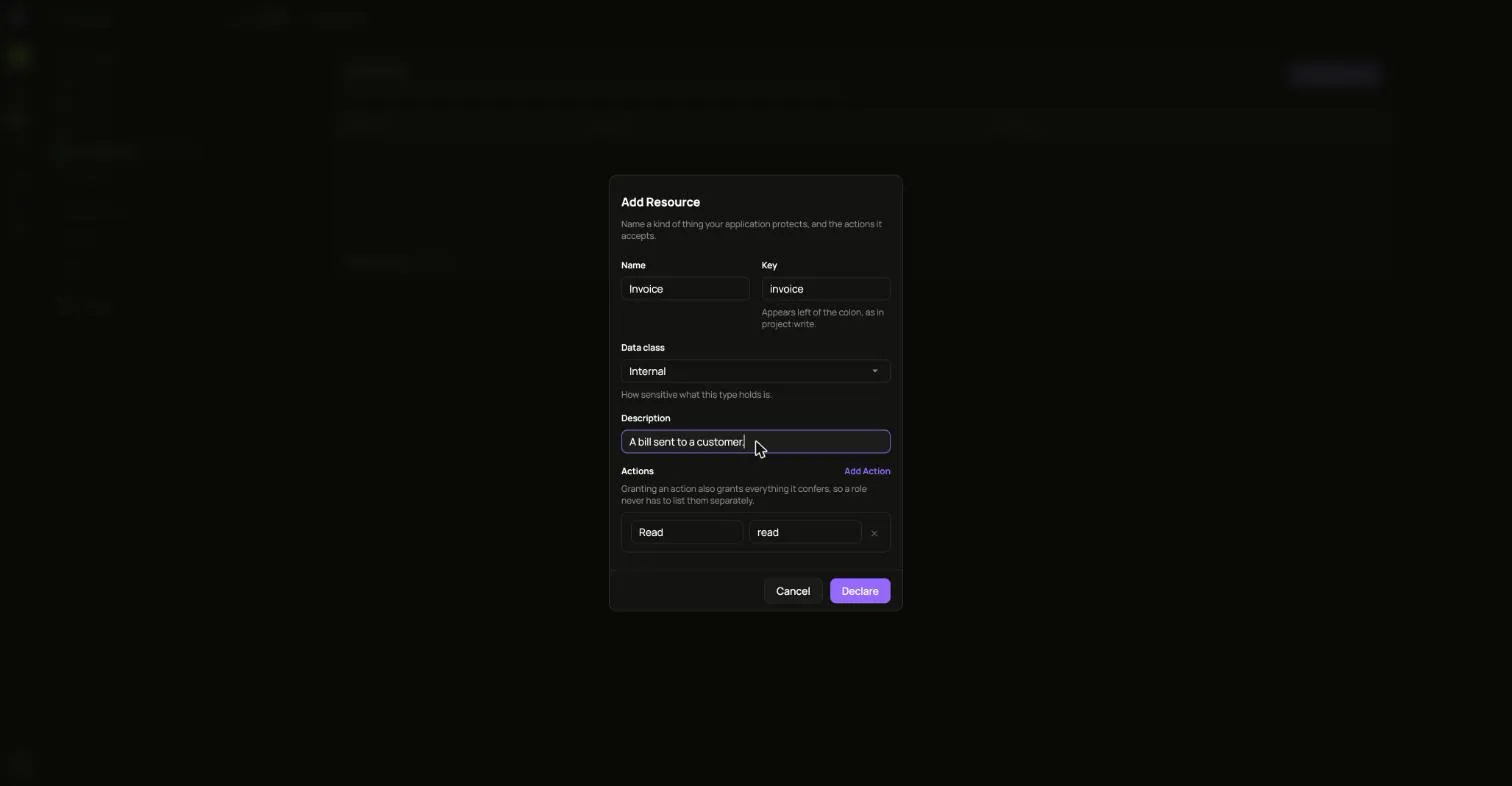
Section titled “Permissions”Open Permissions to describe the things your own apps protect and the actions on them. Choose Create and fill in a name. The key fills itself in from the name.
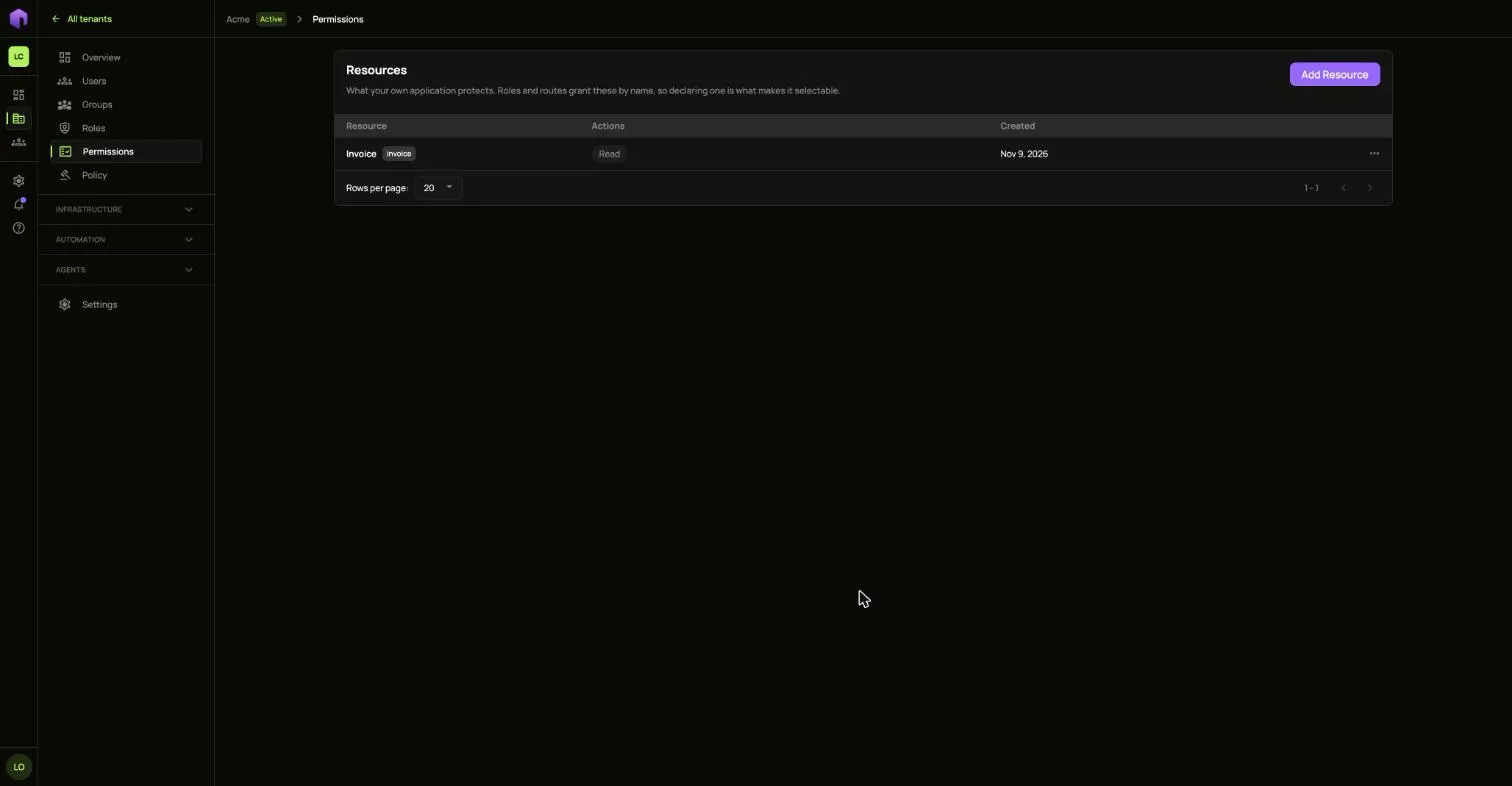
Use the row’s … menu to change or delete one. What you define here can then be picked inside a role.
Policy
Section titled “Policy”Open Policy to decide which requests are allowed. Rules are checked from the top. The first rule that matches decides the request, and nothing below it is looked at.
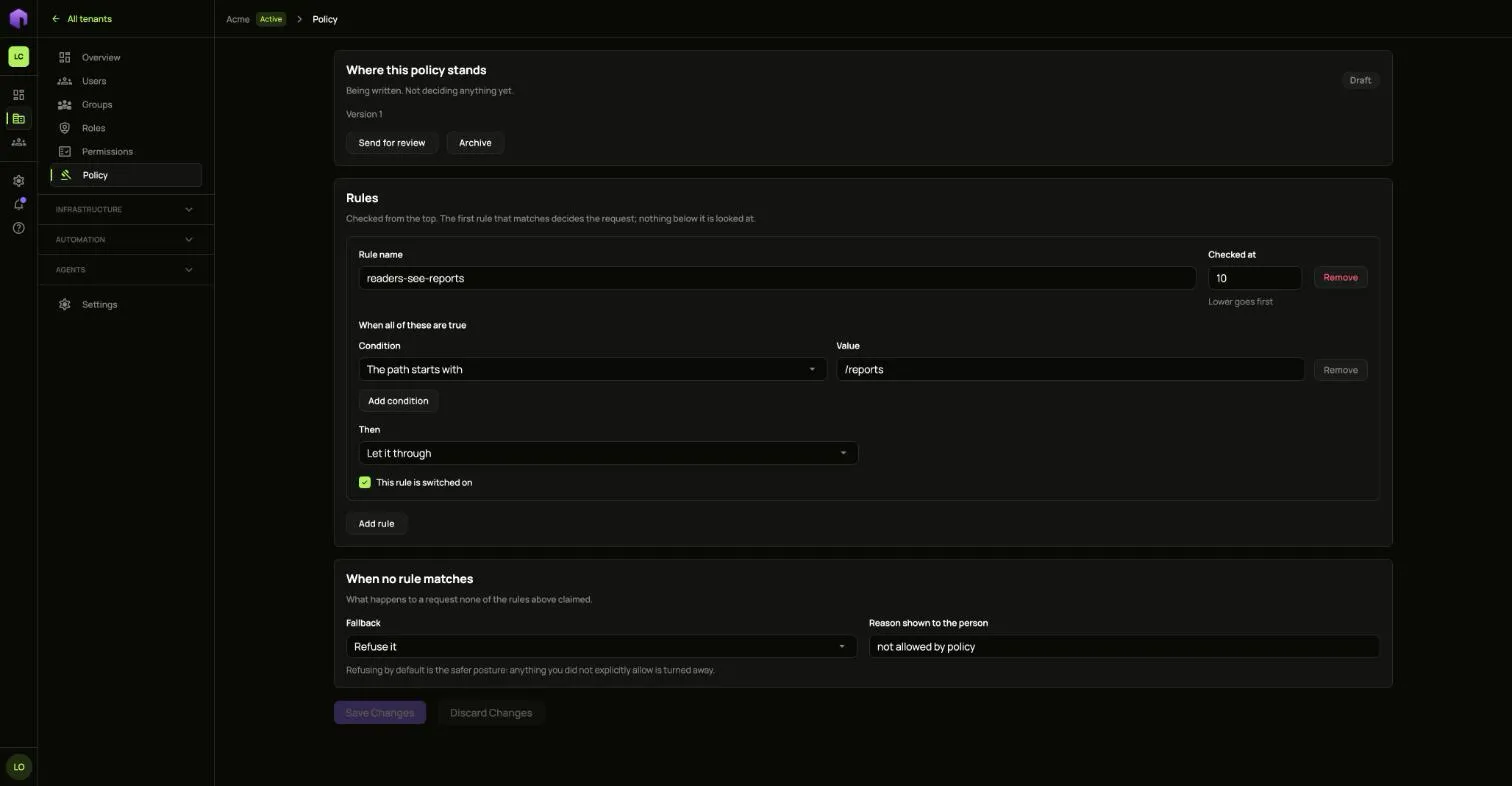
When no rule matches says what happens to a request none of the rules claimed. Refusing by default is the safer choice: anything you did not explicitly allow is turned away.
A policy starts as a draft. Activating it makes its rules start deciding real requests straight away. Taking a version out of service leaves only each route’s own policy deciding traffic until another version goes live.