Run several agents as a flow
A flow runs agents in stages. Stages run one after another, and the agents inside a stage run at the same time. An agent in a flow acts under its own access: the flow grants it nothing.
Each agent needs access and a model provider first.
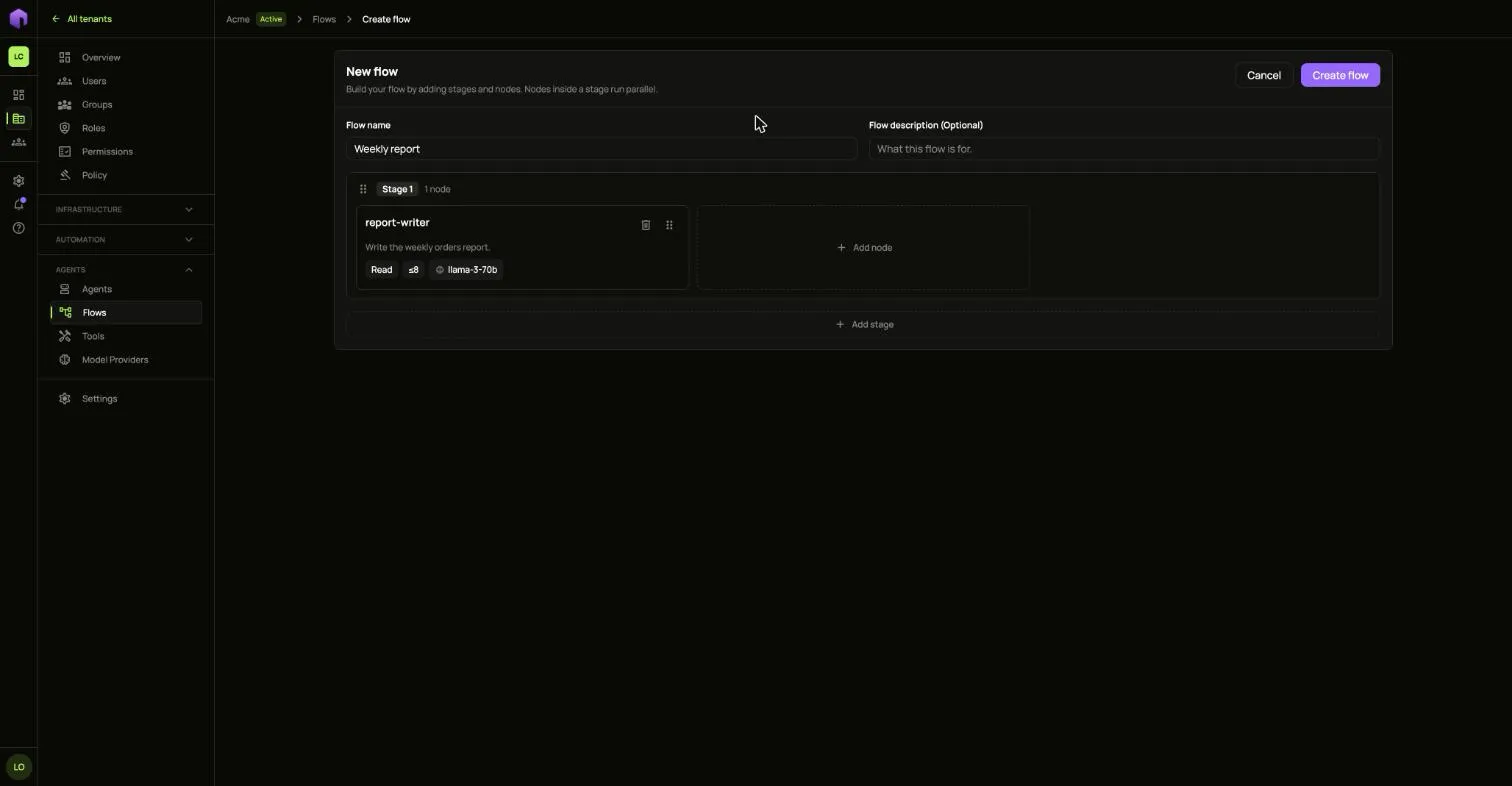
- Open Flows and choose Create flow.
- Give it a Flow name.
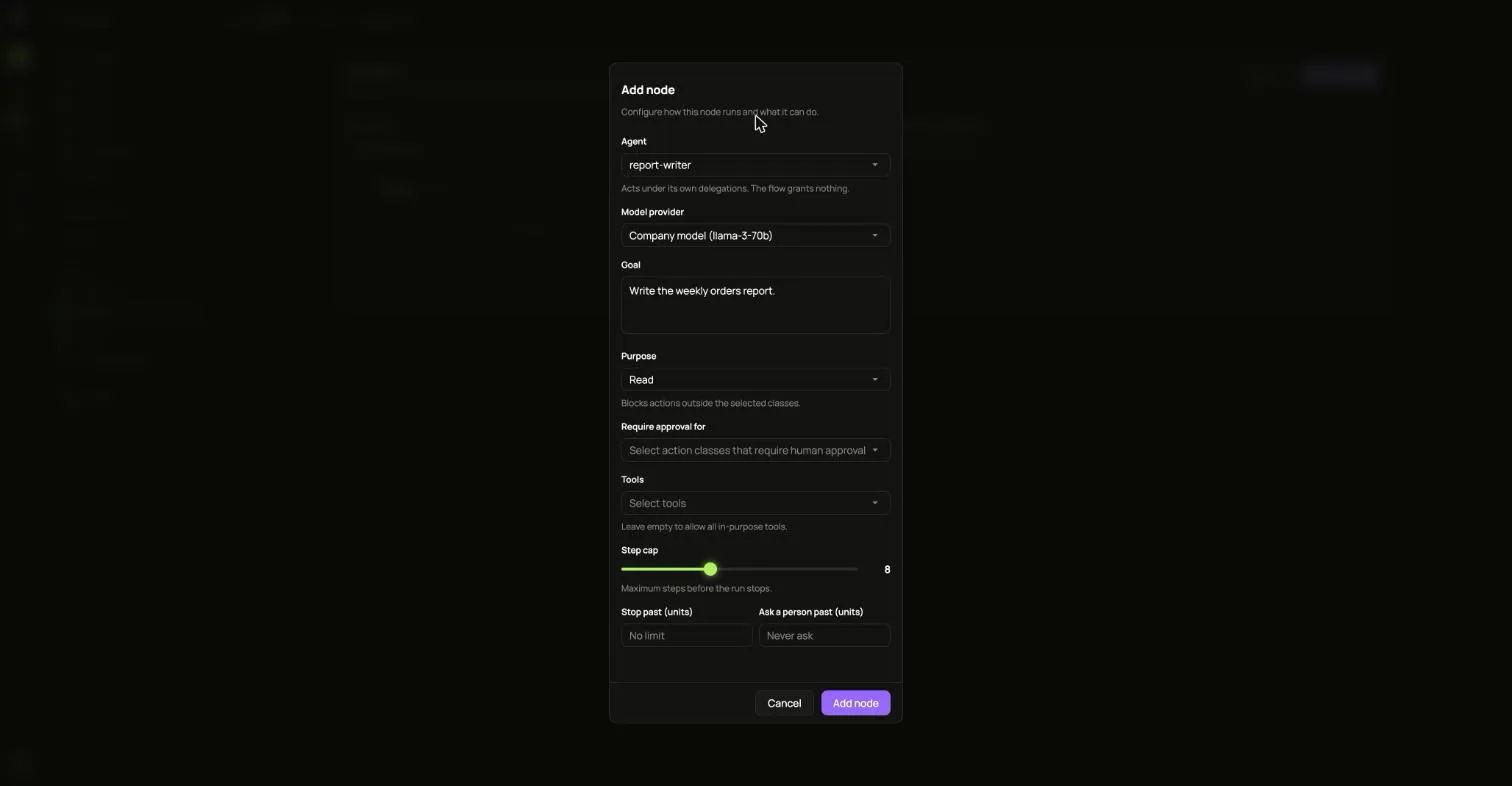
- Choose Add node and fill it in:
- Agent and Model provider.
- Goal: what this agent should do.
- Purpose: the kinds of action allowed. Anything else is blocked.
- Require approval for: the kinds of action a person must approve.
- Tools: leave it empty to allow every tool that fits the purpose.
- Step cap, and optional limits for when to stop or to ask a person.
- Choose Add node. Add more nodes, or more stages with Add stage.
- Choose Create flow. It starts at once.
Open a flow from the list to follow each stage. A node that failed shows why underneath it.
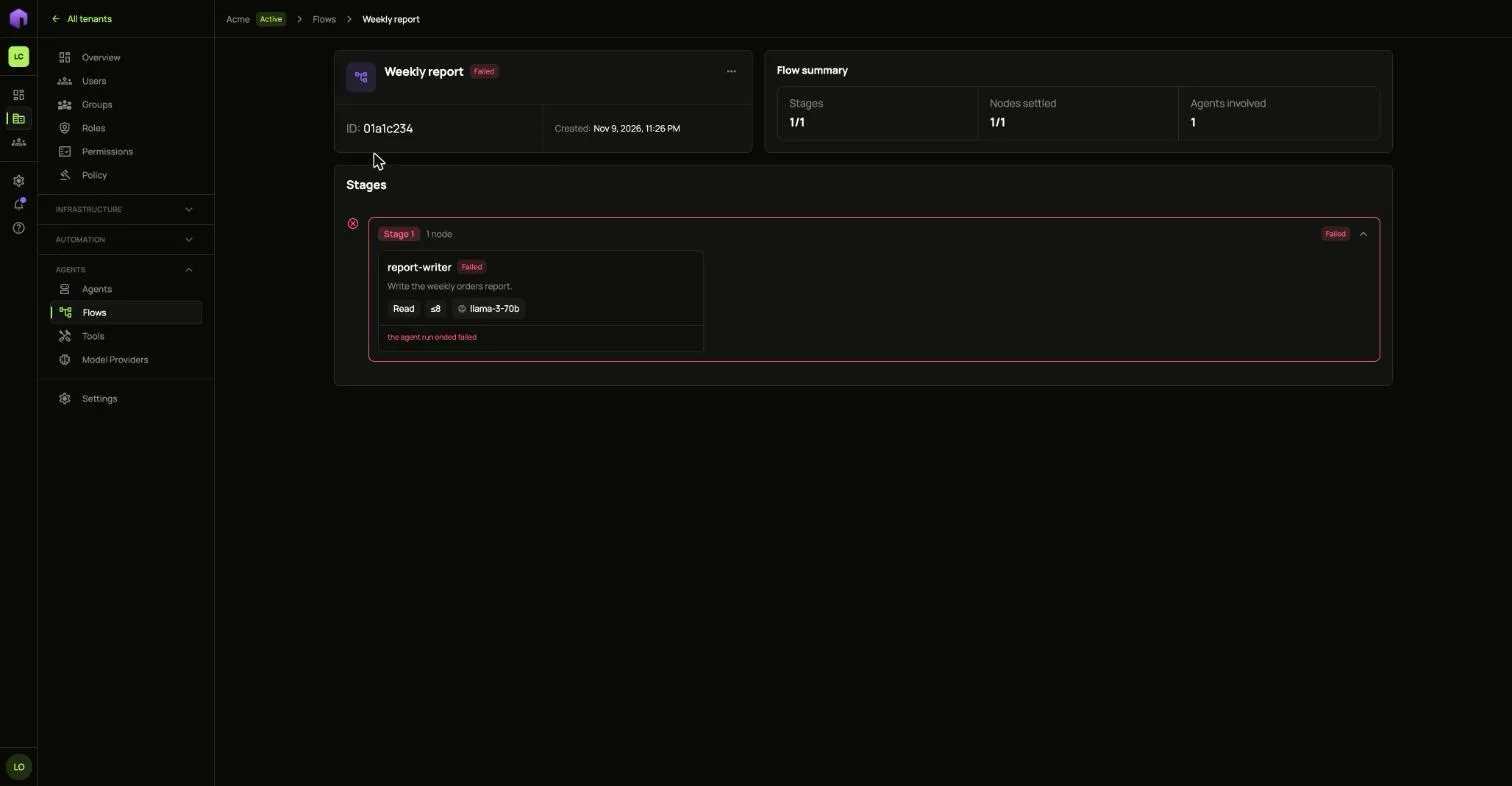
A flow that has ended can be deleted from its … menu.