Quickstart: the dashboard
This continues the Quickstart. You have ianua running, you are signed in, and the hello test app is started.
Open your tenant from the dashboard. Everything below is under Infrastructure in the sidebar.
1. Create a pipeline
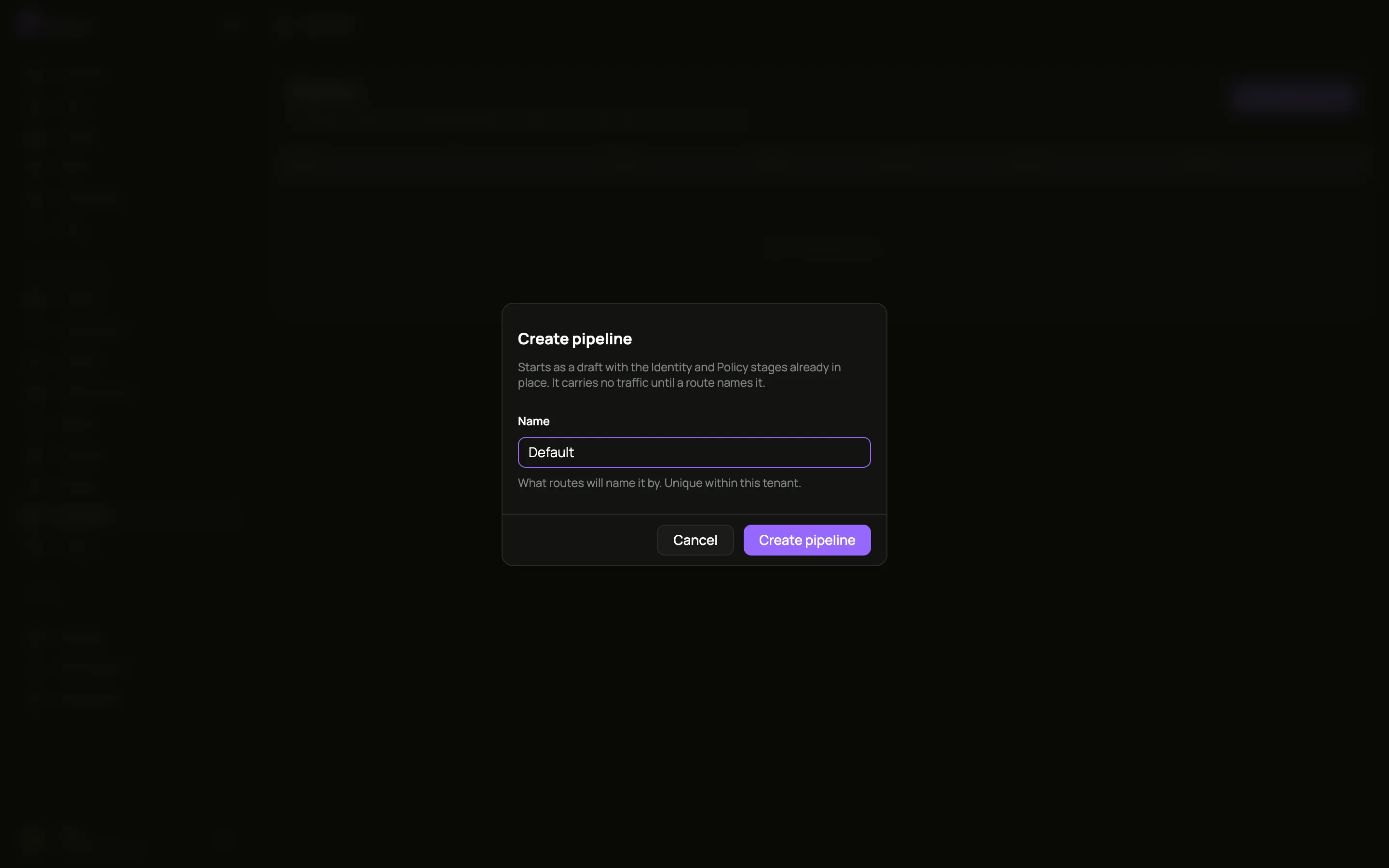
Section titled “1. Create a pipeline”Go to Pipelines, click Create pipeline, name it Default, and confirm.
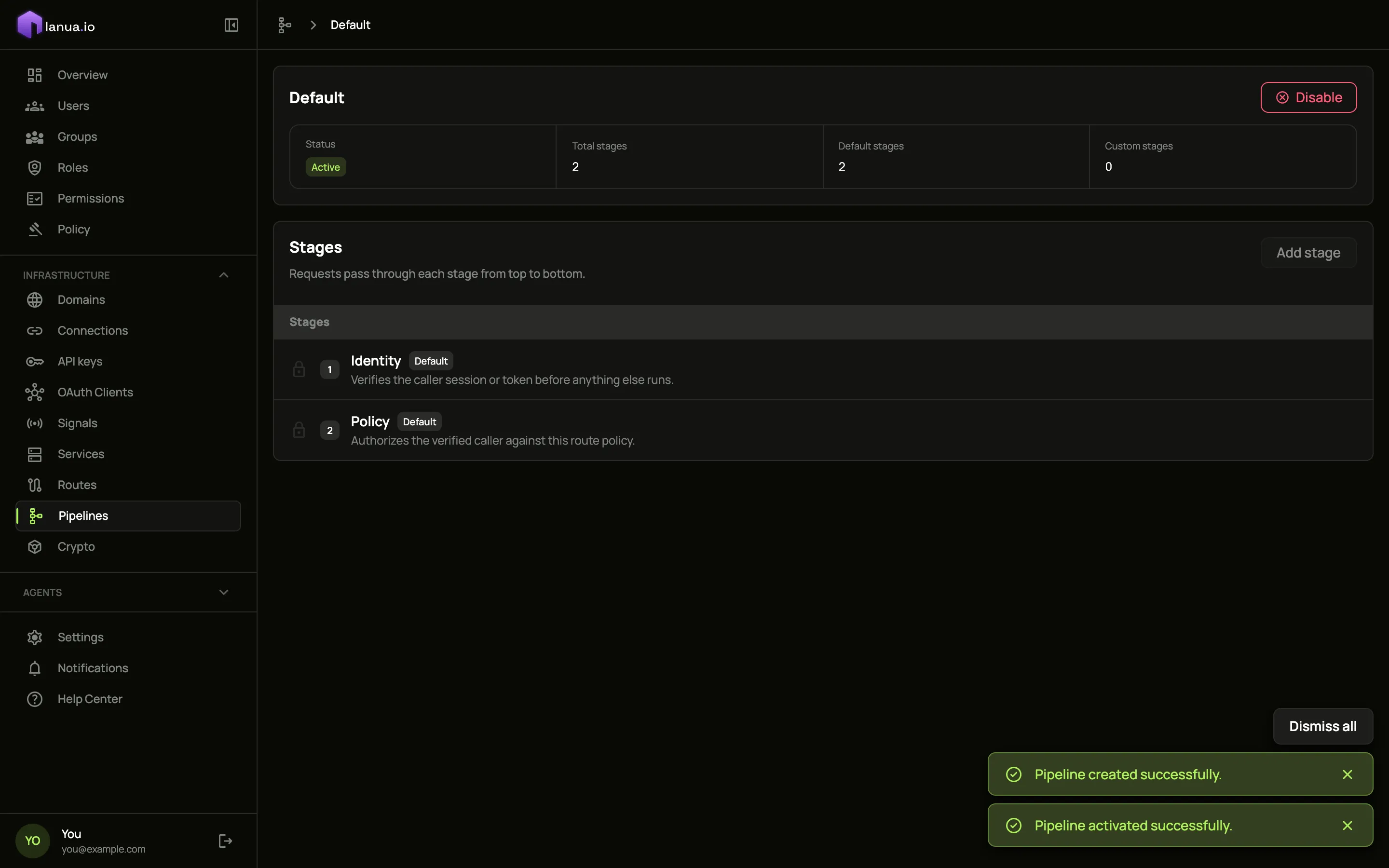
The pipeline opens with its two built-in stages, Identity and Policy. They check who is calling and whether they are allowed, and they can never be removed.
Click Activate, then confirm. The status changes to Active.
2. Add a service
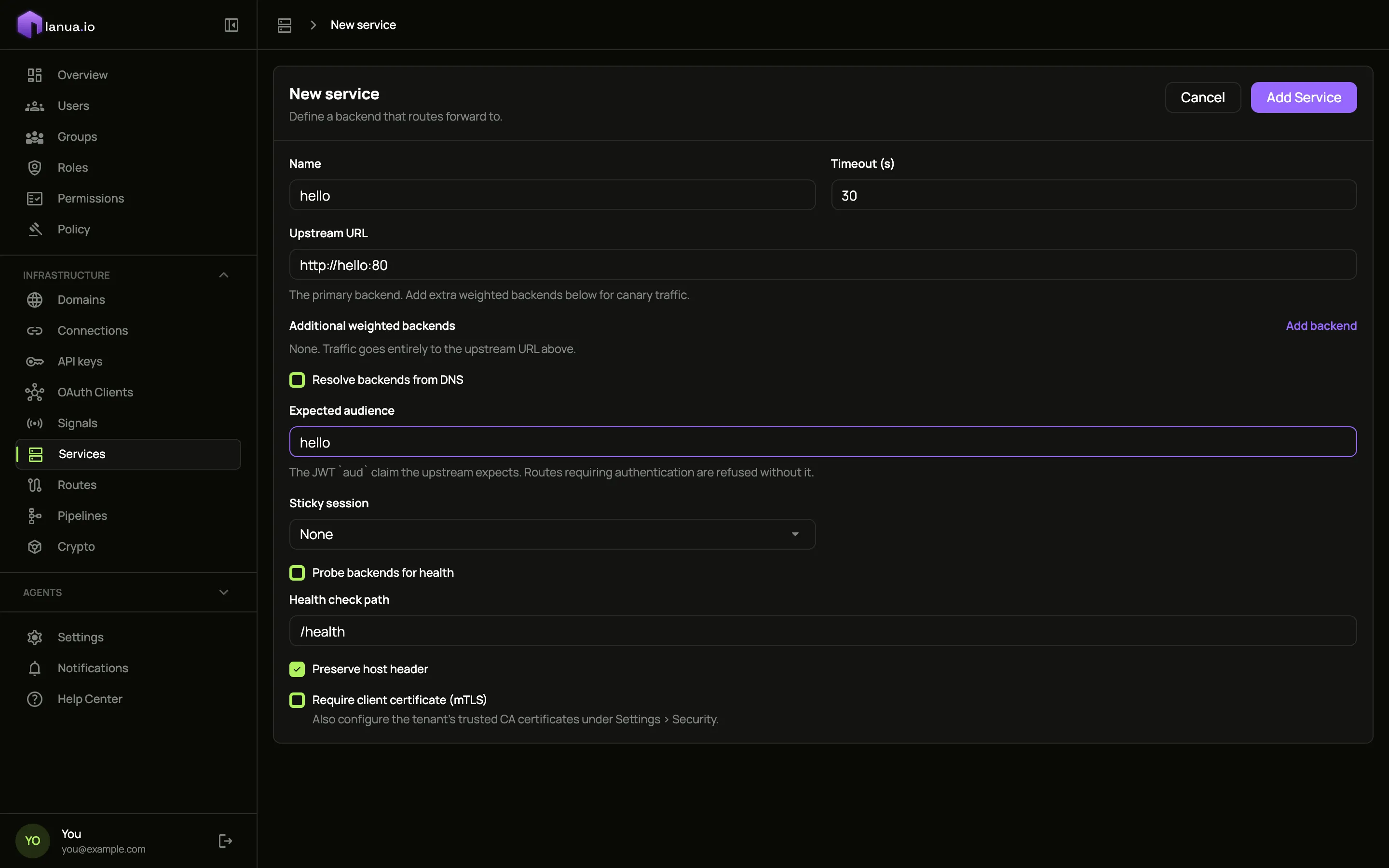
Section titled “2. Add a service”Go to Services and click Add Service. Fill in:
- Name:
hello - Upstream URL:
http://hello:80 - Expected audience:
hello. Routes that need a signed-in caller refuse to save without it.
Leave everything else as it is and click Add Service.
3. Add two routes
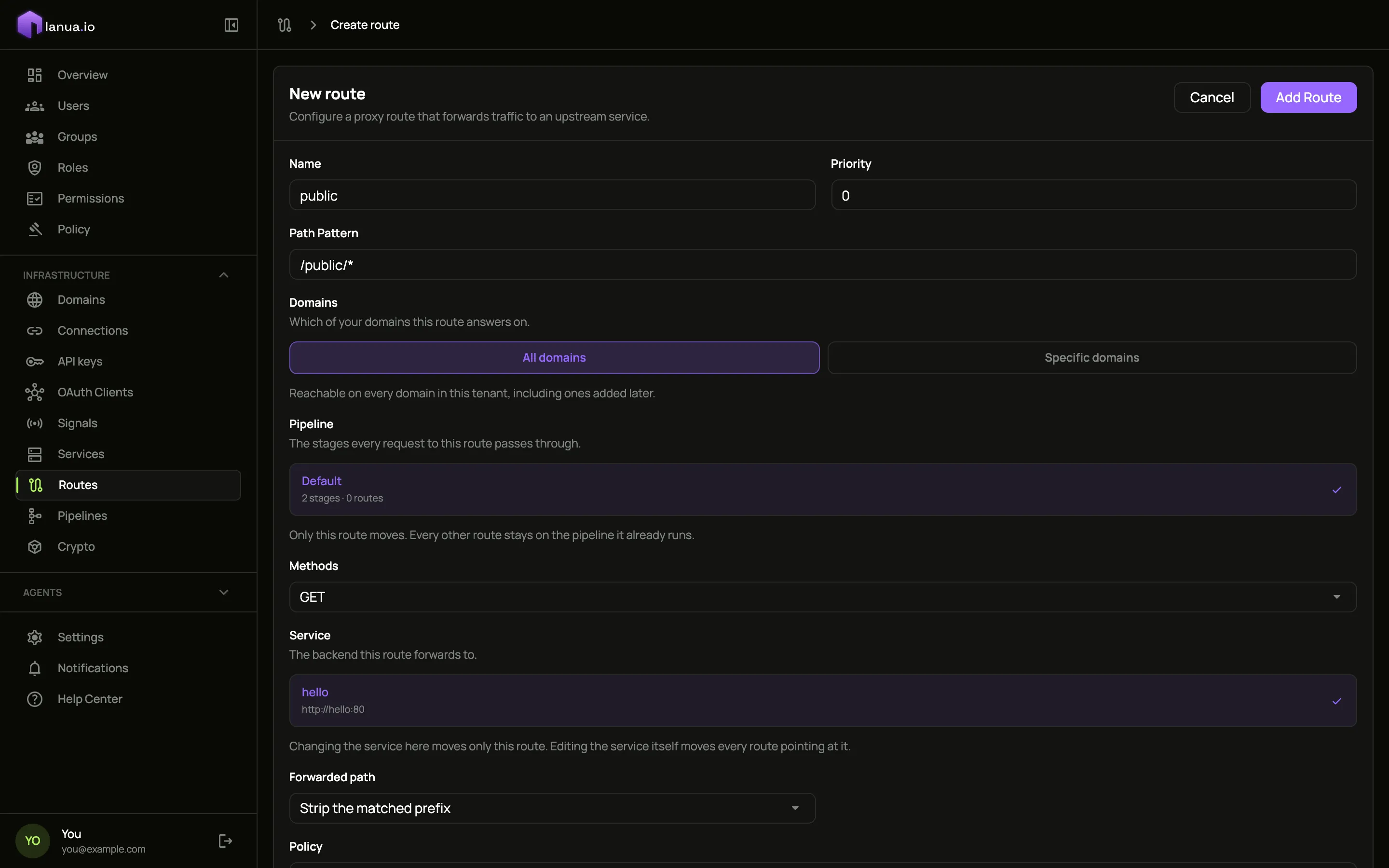
Section titled “3. Add two routes”Go to Routes and click Add Route. Fill in:
- Name:
public - Path Pattern:
/public/* - Pipeline: click Default
- Methods:
GET - Service: click hello
- Policy:
Public
Click Add Route.
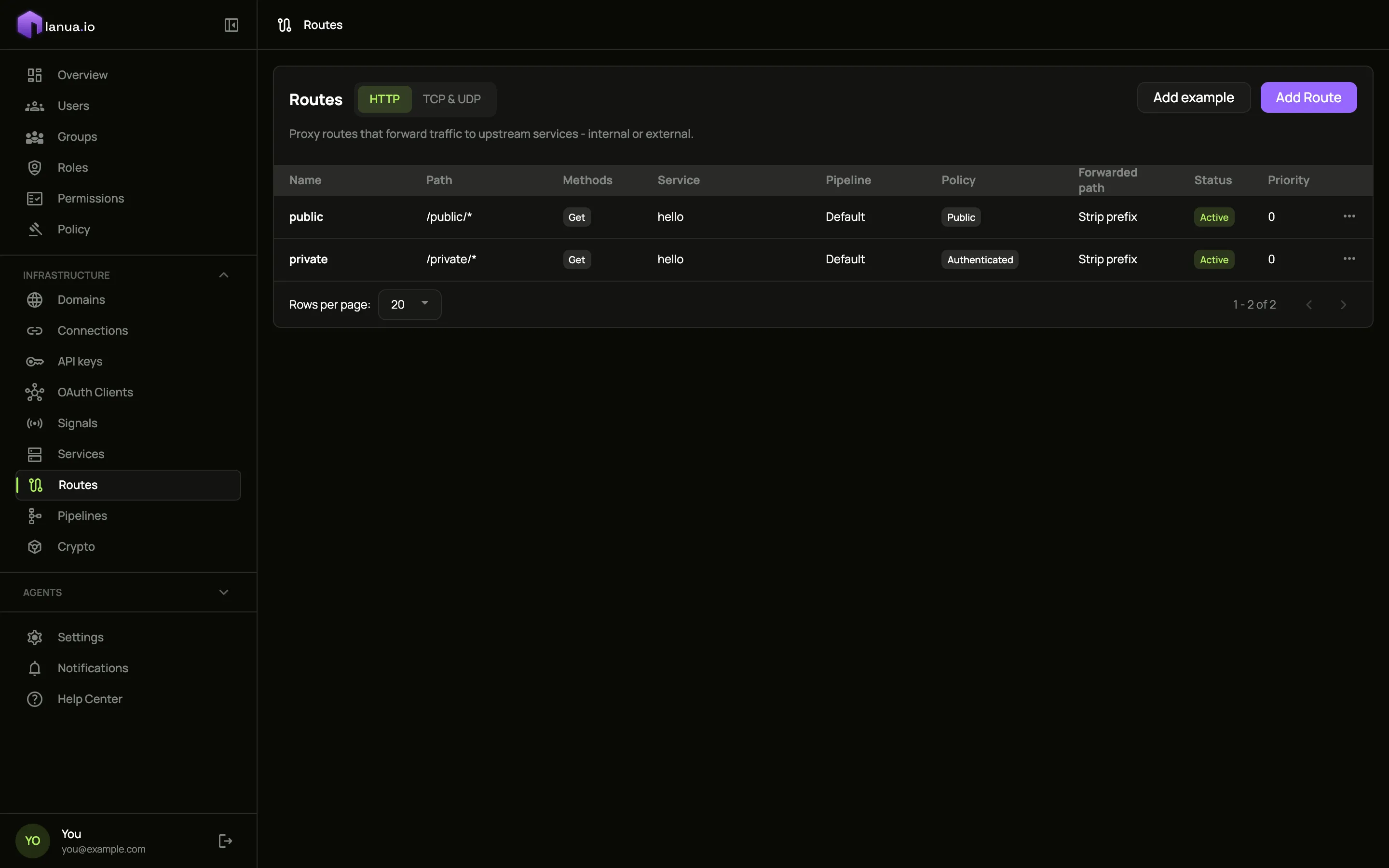
Add a second route the same way, with Name private, Path Pattern /private/* and Policy Authenticated. Your routes list now shows both:
4. See it work
Section titled “4. See it work”Your tenant’s apps are served at acme-main.apps.localhost: the organization, a dash, the tenant, then your apps domain. The gateway picks up each change within a moment, so there is nothing to restart.
A public request goes through. This one also tries to claim to be someone else, by setting identity headers itself:
curl -sk https://acme-main.apps.localhost/public/hello \ -H "X-Forwarded-User: admin" \ -H "X-Ianua-Assertion: forged"The app answers with what it received:
Host: hello:80User-Agent: curl/8.7.1Accept: */*X-Forwarded-For: …X-Forwarded-Host: acme-main.apps.localhostX-Forwarded-Proto: httpsThe request arrived, but neither of the headers you sent is there. The gateway removes identity headers a caller sets, because only the gateway may say who a caller is.
A private request without a login is refused:
curl -sk https://acme-main.apps.localhost/private/hello{"correlation_id":"…","error":"denied: missing bearer token"}The status is 401, and the app never saw the request.
A path no route covers is refused too:
curl -sk -o /dev/null -w "%{http_code}\n" https://acme-main.apps.localhost/adminThat prints 404. Nothing reaches an app unless a route says it may.
Every one of these decisions, allowed or refused, is recorded. The gateway writes one line per request, with the decision and the reason for it:
docker compose logs zero | grep path=/private/helloWARN … request denied … method=GET path=/private/hello … decision="denied" deny_status=401 deny_reason=denied: missing bearer tokenThe same records feed the traffic figures on your tenant’s overview in the dashboard.
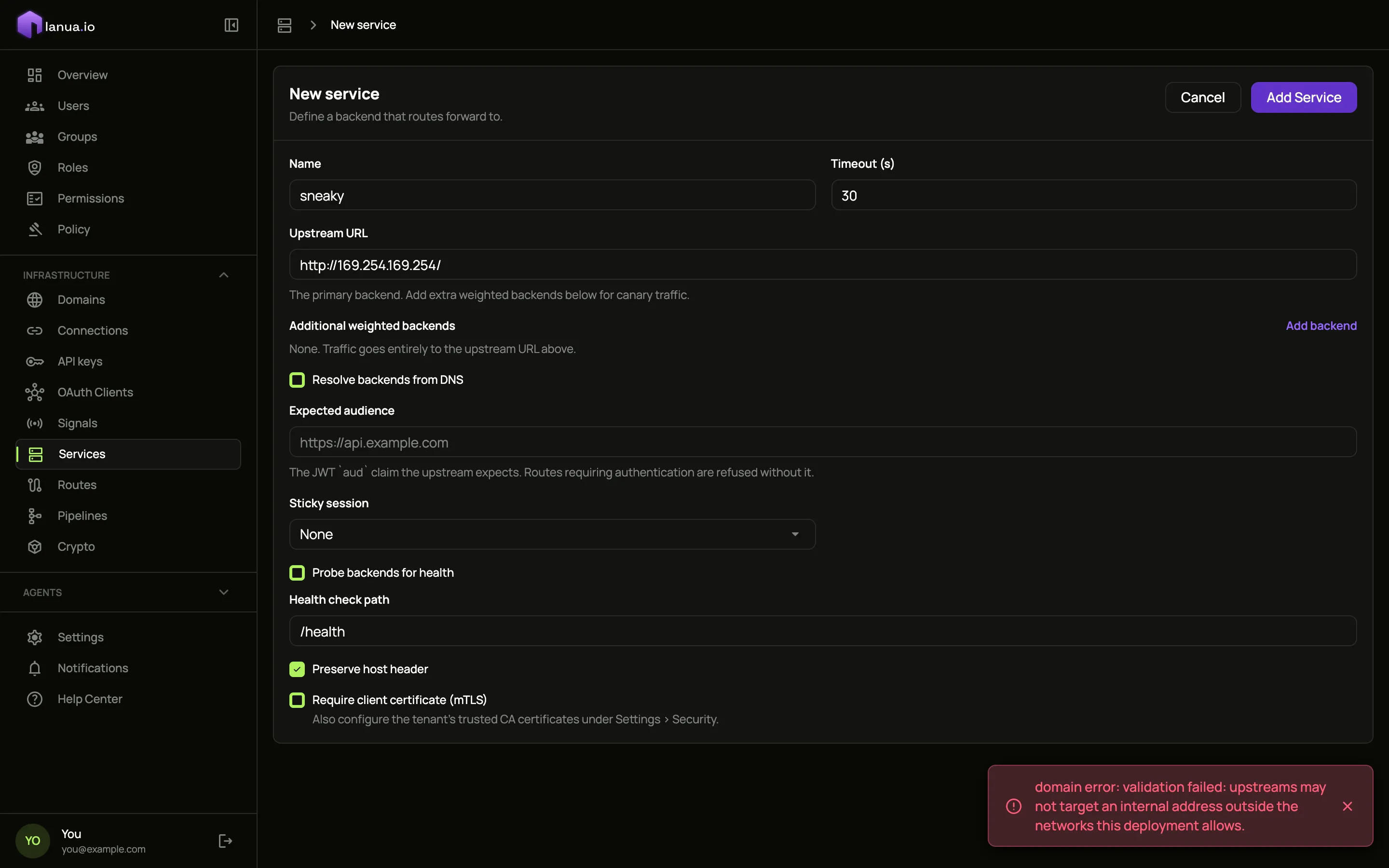
And the gateway will not be pointed at the wrong place. Go back to Services, click Add Service, and enter the address of the cloud metadata service, where cloud servers keep their credentials: http://169.254.169.254/. The dashboard refuses to save it, whatever networks you allow.
Clean up
docker rm -f hellodocker compose down # stop, keeping your datadocker compose down -v # stop and delete all dataWhat’s next
- How it works explains what happened to each of those requests, stage by stage.
- Install on Kubernetes sets ianua up for real use with two Helm commands: one for ianua, one for the dashboard.
- To let people sign in to a private route, connect your app to ianua over OpenID Connect. The OAuth page under Domain contexts explains how an app is registered and signs people in.